
v1.0 released | 61 mb dmg | apple silicon | macos 15.0+ built 2026-05-07
macOS · Hinge AutoLiker

Auto-like.
Auto-opener.
Auto-date.

Type your opener once. Like 25 profiles. Done.

Real iPhone taps via Apple Mirroring · no API · no scraping · no account
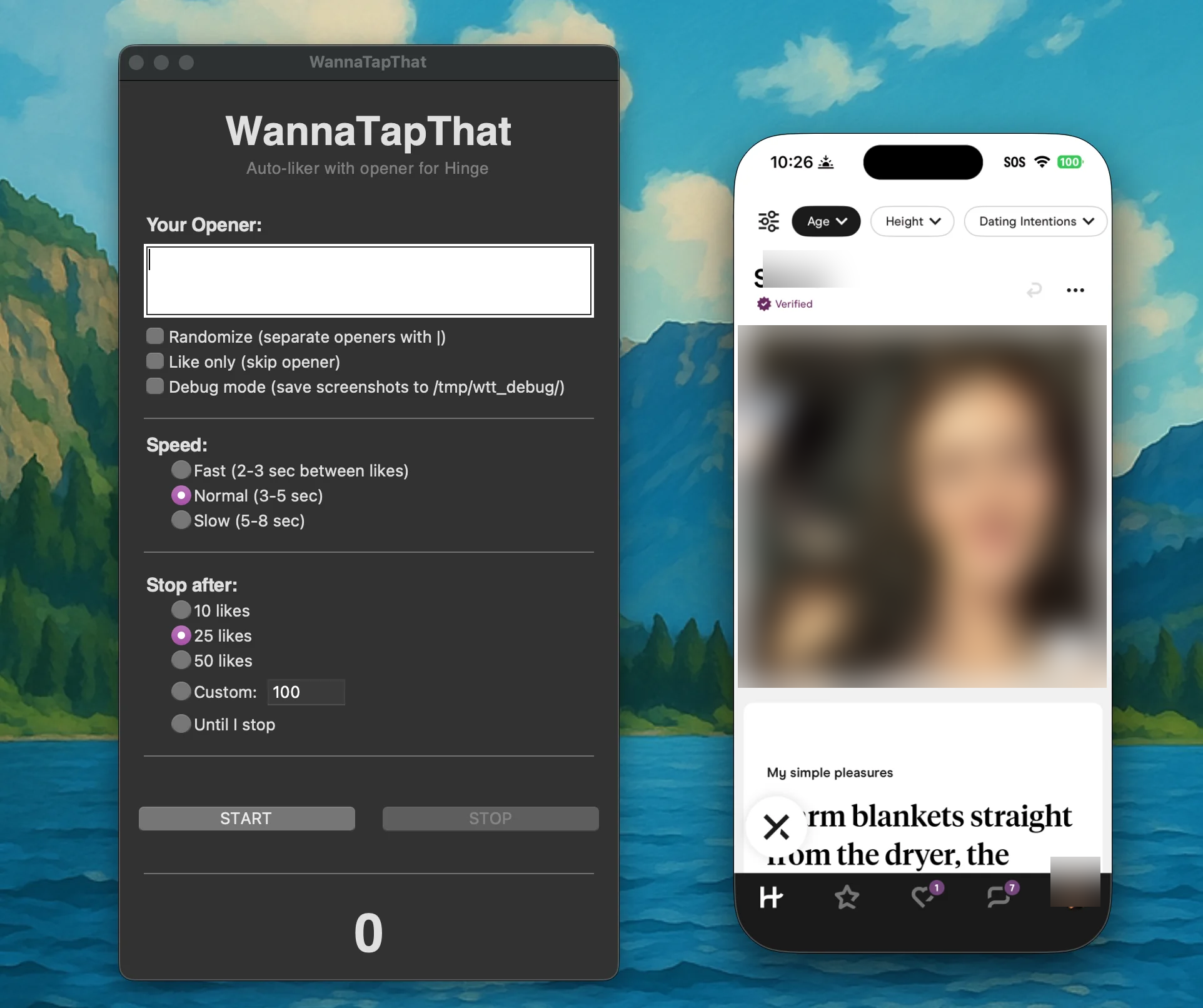
~/wannatapthat · running
WannaTapThat liking Hinge profiles via iPhone Mirroring
Detection

Won't trip Hinge's bot guard

Real iPhone taps via Apple's Mirroring API — not hinge.com, not scraping. Randomized click positions ±20px, variable delays, longer pauses every 8–15 likes. From the app's view, it's just you tapping a little imperfectly.

Privacy

Stays on your Mac

Runs 100% locally. No account, no login, no telemetry, no cloud. The unsigned binary means there's nothing tied back to you — the trade-off is one extra click to bypass Gatekeeper.

How it works 4 steps · ~30 sec setup
01 Open iPhone Mirroring Mirror your iPhone to your Mac with Hinge open. Requires macOS Sequoia + iOS 18.
02 Set your opener Write your go-to line (or a few). The app picks randomly if you give it options.
03 Hit start The app finds the heart, clicks it, types your opener, sends it. Walk away.
04 Check back later It stops after your set limit. Come back to a list of likes you sent.
Features

Custom Openers

One opener or many separated by | — random pick each like.

Speed Control

Fast 2–3s, normal 3–5s, or slow 5–8s.

Set Limits

Stop after 10, 25, 50, custom, or until you stop.

Like-Only Mode

Skip the opener entirely. Just rapid-fire likes.

Requirements macos · ios · permissions
mac.os macOS Sequoia 15.0+ with iPhone Mirroring
mac.arch Apple Silicon (M1, M2, M3, M4)
iphone iOS 18+ with Hinge installed
grant Screen Recording + Accessibility

Download

free · no account · no signup

heads-up This app isn't signed with an Apple Developer certificate. macOS will warn you it's from an "unidentified developer" — that's intentional for privacy. The setup guide walks you through Gatekeeper bypass in under 2 minutes.
Download WannaTapThat.dmg
v1.0 · ~61 mb · arm64 · macos 15.0+